


Authentication procedure changed
Starting 30/12/2014, the authentication procedure for the application will change.
On Windows, the logon procedure is as follows: when you connect to a server, a login box will tell you that the current username and password are wrong. In it, select the "RADIUS or NT Domain authentication" option under "Auth Type", then enter your username and password to log in as usual on the site or login page.
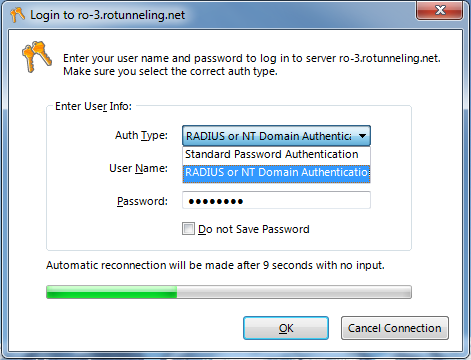
On other operating systems, simply enter your username and password directly in the login box of the application you use to connect.
Tags: login, , VPN, authentication